

If you are on Pinterest, you probably have been following tips, and lessons from other popular Pinterest experts so that you can also see your analytics results go up. What I want you to know is that a lot of Pinterest’s success is related to Pinterest promotional strategy, outstanding content, and the secrets to making pins go viral.
No one likes to spend hours designing pin graphics, writing content just to have a fewer number of repins, and clicks. This is all frustrating!
And, I don’t want you to go through all this for another six months because analytics do matter.
Pinterest is a traffic-generating platform where content creators get millions of monthly views and thousands of clicks to their websites. It’s true that Pinterest can send you loads of traffic every day.
Do you want to step up your blogging this year? Get the mentorship for these expert today before it to late. Click here.
Here are 7 must-follow tips to make your pins go viral on Pinterest.
Or, how to get your pins noticed on Pinterest.
1. CREATE HIGHLY SHAREABLE PINTEREST PINS.
The most important step is to design a clickable pin graphic. I must say that you will learn basic graphics skills with time. It’s nothing to freak out if you don’t want to hire a designer for your pin.
You can easily design beautiful pins for your blog. Tools like Canva are excellent tools for designing images.
I use Canva pro to design my own pins and have actually created some templates. By making a few changes, my pin gets ready within few minutes. Easy and fast!
2. VERTICAL PINS PERFORM BETTER.
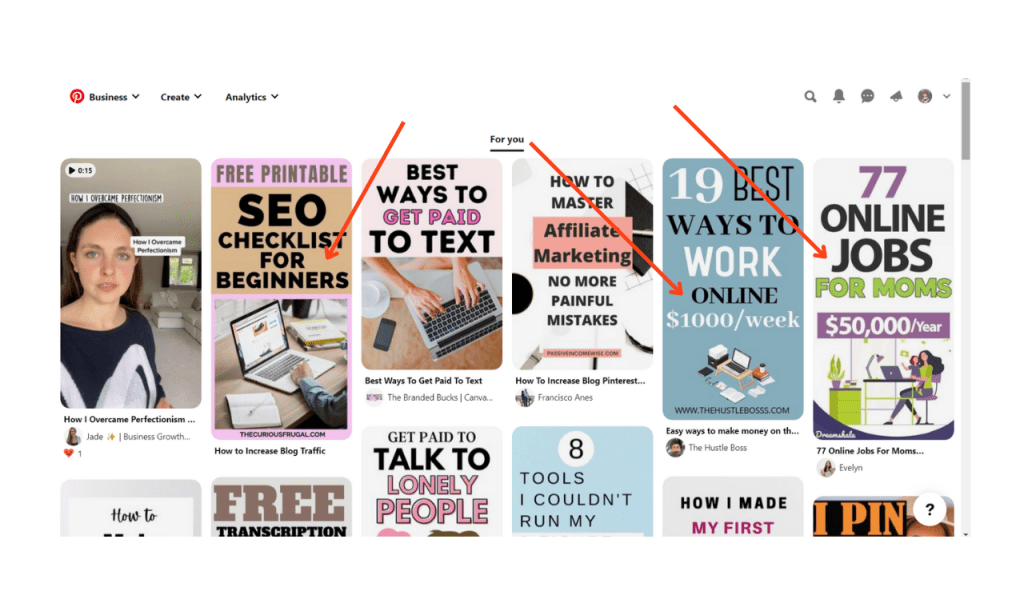
It’s so important that you design long-form vertical pins to get your pins noticed. These pins often stand out in the Pinterest feed, and people will most likely click the pin when they view it more. Recently, Pinterest has started cutting off pins that are more than 1260 pixels.
The optimal pin size is 600px by 900px. Recently, Pinterest said that their algorithm will favor pins having proportion 2:3. Note it down!
3. USE BRIGHT COLORS ON YOUR PINS.
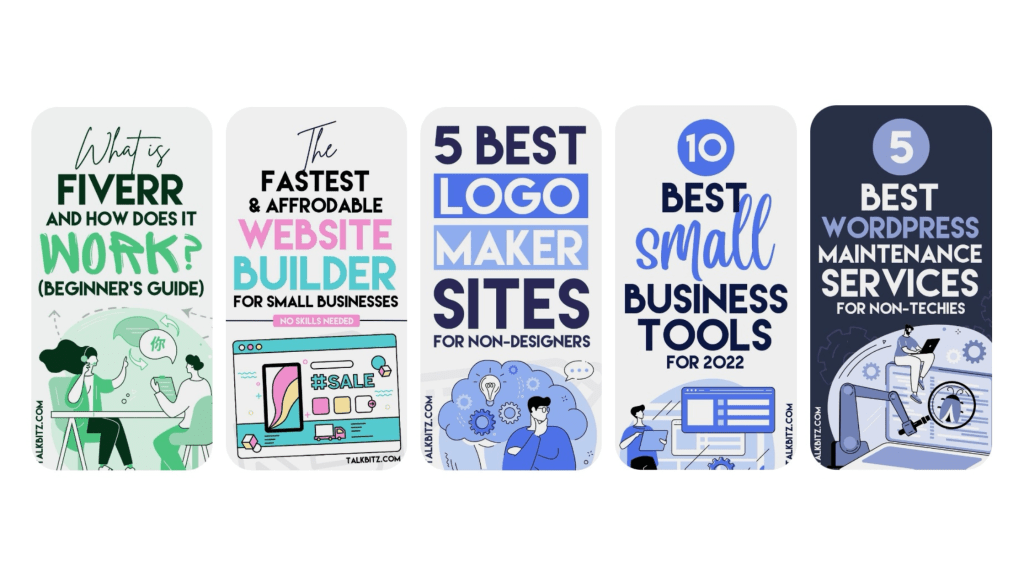
If possible, add bright colors to your graphics as they pop-up, and get more attention. Choose colors that brighten the image, and make it stand out in the feed. The users most likely click a pin that has more visible colors like pink, yellow, red, green etc.
If you are using a light background image, then add bright text colors and if you use bright background image then use soft, subtle text colors.
4. USING LARGE FONTS.
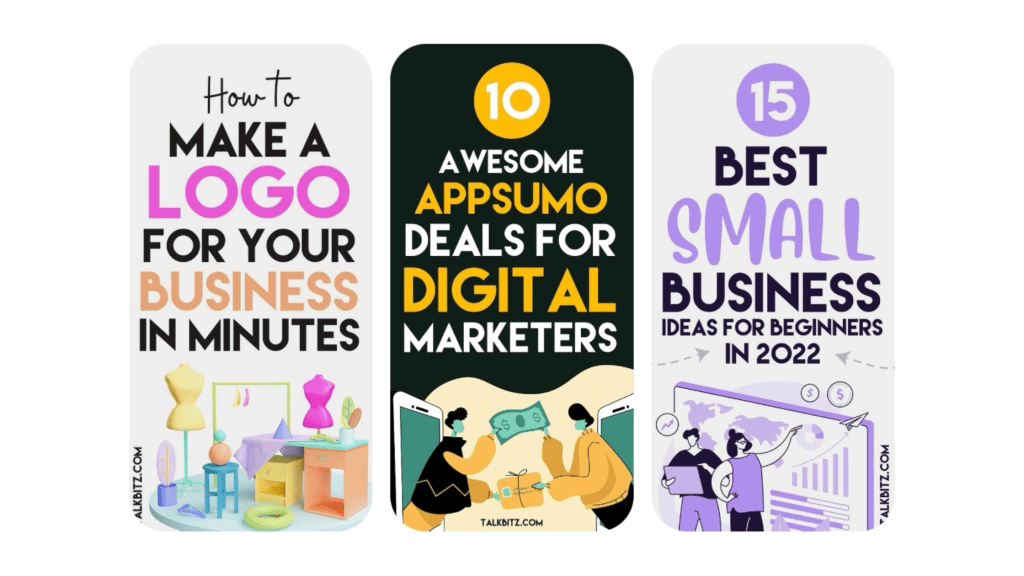
Using large fonts is one important tip to make your pin stand out. Choose fonts that are easy to read. People often get their eyes off when they find fonts that are hard to read. Do not go for fancy fonts. When it’s about Pinterest the simpler, the better.
5. OPTIMIZE YOUR PIN WITH KEYWORDS.
If you want your pins searchable in the Pinterest search bar then you need to add keywords. Adding the right keywords will make your pins show on Pinterest which eventually bring you more views, and repins. Talking about organic traffic from Pinterest!
A pin also becomes viral if it is well-optimized. In order to make your pins do well on Pinterest, understand how Pinterest SEO works.
6. ADD A CATCHY TITLE ON PIN.
Pins with captivating titles get more repins, and clicks.
Whenever you plan to write a new post, think and come up with at least 5 titles. Make changes in the adjective, and keep re-writing the headline unless you find the best one. By adding a catchy title, your pins start getting noticed on Pinterest.
Choose a title that shows people what they will find inside the post. People are using Pinterest for getting answers, ideas, and instant solutions. So, give them an idea of what they will learn/find if they click the pin.

7. MAKE MULTIPLE PINS FOR ONE POST.
I assume that many of you already know that Pinterest allows more than one pin for the same URL destination. This is true! You can make different pins leading to the same link.
This means that you can create multiple pins for one blog post, landing pages etc.
If you create more pins, you will have more chances that one of your pins may get viral, and get noticed. You can even design 5 pins for one post but make sure that those pins are great. Don’t just create pins for the sake of more pins but make them so good that people find it hard to ignore, and they instantly press the button ‘save’ or ‘visit’.
I assume that many of you already know that Pinterest allows more than one pin for the same URL destination. This is true! You can make different pins leading to the same link.
This means that you can create multiple pins for one blog post, landing pages etc.
If you create more pins, you will have more chances that one of your pins may get viral, and get noticed. You can even design 5 pins for one post but make sure that those pins are great. Don’t just create pins for the sake of more pins but make them so good that people find it hard to ignore, and they instantly press the button ‘save’ or ‘visit’.
BONUS!
MAKE YOUR POST AS HELPFUL AS YOU CAN.
My top tip to make your Pinterest pins go viral is to make your post as useful as you can. We all know that competition is tough, and you need to produce awesome content. But, are you really writing great content that is unique, and a lot better than your competitor?
Now, You probably have this question…
How can a quality post help you go viral on Pinterest?
A high-quality post that gives immense value has more chances of getting repinned than a post with crap content. The more repins means an increased number of overall impressions and clicks to the website.
When your post is giving what a user is looking for, he/she will probably save your pin to their boards. If your post has proven ideas then people will repin it again and again because they know other users will find this helpful.
If you genuinely want your users to repin your pins, then you need to offer them value.
There, you have it. Thanks for always reading my post, and admiring it.


 Empowered Woman | Entrepreneurs
Leave a comment